How Much DDR5 RAM Do I Need?

Time:2026-09-26 Author:Liam
0%

How much DDR5 RAM do I need? The honest answer depends on what your computer does each day. A browser with ten open tabs, a 4K editing timeline, and a game streaming session place very different demands on memory. DDR5 can offer higher bandwidth than older generations, but that does not mean every user needs a large kit. More capacity helps only when your workload can use it.

Published guidance gives a useful starting point. Adobe’s Premiere Pro system requirements recommend 16 GB of RAM for HD media and 32 GB or more for 4K workflows. That is a practical distinction: a 16 GB system may handle ordinary tasks, while editing several high-resolution clips can quickly make that capacity feel tight. Adobe’s figures are recommendations, not guarantees; project size, effects, and other running apps also matter.

Real-world usage adds context, but not a universal rule. Valve’s Steam Hardware & Software Survey tracks the hardware of participating gamers, including installed system memory. It shows what users report, rather than proving how much RAM each person needs. That difference is easy to overlook. A popular configuration is not automatically the right one for your workload.

For many new desktop builds, 32 GB is a sensible balance between current applications and breathing room. Still, a budget PC used for documents and light browsing may not benefit much from paying for extra capacity. This guide weighs gaming, productivity, creative work, and multitasking, then explains when 16 GB, 32 GB, or 64 GB makes sense. Your actual workload matters most.
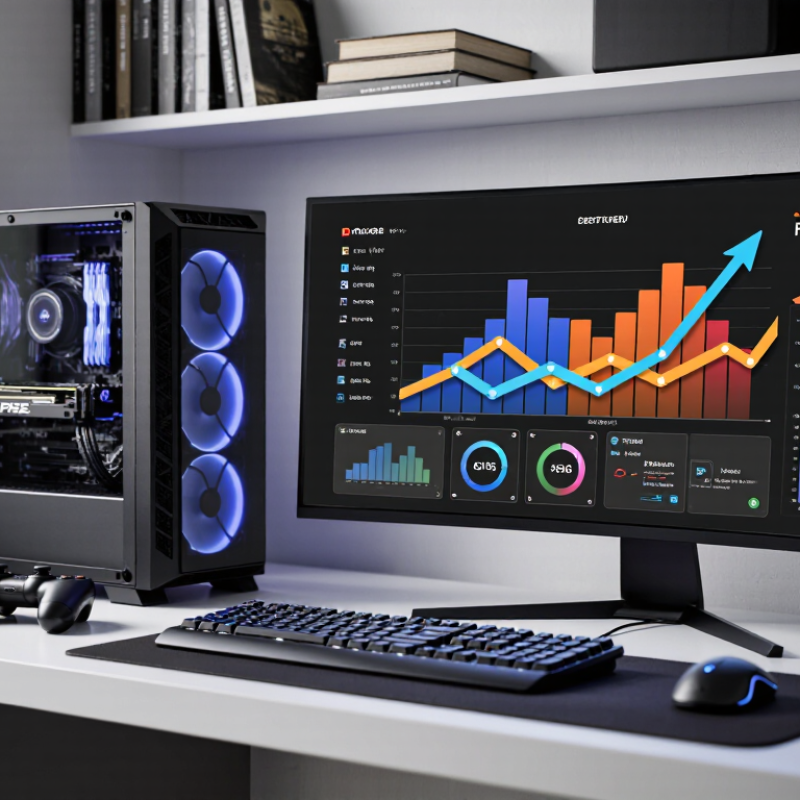
How Much DDR5 RAM Do I Need?

What DDR5 RAM Does and How Capacity Is Measured

DDR5 is not simply faster RAM. It transfers more data per second while using less voltage and improving internal bank access. The JEDEC JESD79-5C standard begins DDR5 at 3,200 MT/s, not 3,200 MHz. MT/s counts data transfers, while MHz describes clock cycles. Confusing them can inflate expectations. In practical testing, capacity often matters more than speed when applications exceed available memory.

Capacity is measured in gigabytes, or GB, per module. Two 16 GB modules provide 32 GB total. Dual-channel operation improves bandwidth, but it does not double capacity. The operating system also reserves some memory, so 32 GB may show slightly less usable space. A 2024 PC gaming hardware survey listed 16 GB among the most common configurations, while professional workstation guidance often starts at 32 GB for heavy multitasking. Survey populations differ. That limitation matters.

For browsing, office work, and light editing, 16 GB can remain practical. Modern games, virtual machines, large photo catalogs, and 4K editing can exceed it. I would choose 32 GB for mixed use, then monitor actual memory usage. Memory pressure appears as disk activity, stutter, and slow task switching. Choose 64 GB when these symptoms repeat during normal work. More is not automatically better. A 2024 memory-industry market report recorded rising DDR5 adoption across client systems, but adoption does not prove every user needs more capacity. Workload decides.

How Memory Capacity Affects Common Computer Tasks

How Much DDR5 RAM Do I Need?

Memory capacity changes how smoothly a computer handles everyday work. With 8GB, email, light documents, and a few browser tabs remain possible. However, modern browsers can consume several gigabytes before any demanding application opens. My own mistake was judging capacity by idle usage. A quiet desktop can still struggle when video calls, spreadsheets, and cloud synchronization run together.

For most users, 16GB remains the practical DDR5 baseline. The December 2024 Steam Hardware Survey identified 16GB as the most common memory configuration among participating computers. That result reflects real gaming systems, though it does not represent every household. With 16GB, office work, casual gaming, photo editing, and ordinary multitasking feel comfortable. Heavy browser use can still expose limits.

32GB suits creators, developers, and serious multitaskers. Editing high-resolution footage, running virtual machines, or compiling large projects can push beyond 16GB quickly. A 2024 workstation guidance report from Puget Systems measured substantial memory differences across creative applications, especially during complex video and 3D workflows. For large datasets, multiple virtual machines, or local machine-learning experiments, 64GB offers more breathing room. More is not automatically faster. Unused RAM provides no benefit, and faster memory cannot repair a capacity shortage. Check actual usage during your busiest workload, not after a clean restart.

How Much DDR5 RAM Do I Need? - How Memory Capacity Affects Common Computer Tasks

Installed RAM Common Tasks It Can Handle Typical Experience When You May Need More
8 GB Basic web browsing with a few tabs, email, document editing, and simple media playback. Usable for light tasks, but the operating system and open apps can consume much of the available memory. Switching between many apps may feel less responsive. Consider more capacity for frequent multitasking, modern games, large spreadsheets, or creative applications.
16 GB Everyday computing, many browser tabs, office work, video calls, and most games at typical settings. A practical baseline for a general-purpose computer. Most common tasks can run comfortably, though demanding apps used together may approach the limit. Move up if you edit large media projects, run memory-intensive simulations, or keep numerous demanding apps open at once.
32 GB Heavy multitasking, modern games alongside background apps, photo editing, moderate video editing, and software development. Provides more room for large projects and concurrent workloads. It can reduce slowdowns caused by memory pressure, but does not automatically make every task faster. More may help with high-resolution video projects, large datasets, multiple virtual machines, or other unusually memory-intensive work.
64 GB Large creative projects, advanced development workloads, several virtual machines, and demanding data or engineering applications. Useful when workloads regularly need substantial memory. For everyday browsing, office work, and typical gaming, the extra capacity often provides little noticeable benefit. Choose more only when a specific workload or measured memory use justifies it.

These are general guidelines, not fixed limits. Actual memory use varies with the operating system, applications, project size, and number of tasks running at once. More RAM mainly helps when current capacity is insufficient; DDR5 speed and system configuration can also affect performance.

DDR5 Capacity Needs for Different Types of Users

How Much DDR5 RAM Do I Need?

DDR5 Capacity Needs for Different Types of Users

For everyday users, 16GB of DDR5 RAM is a sensible starting point. It handles email, office documents, streaming, and many browser tabs comfortably. A computer with 8GB may still work, but slowdowns appear sooner during multitasking. One large spreadsheet can change the experience. If your budget allows it, 32GB offers more breathing room and better long-term value.

Gamers usually benefit from 32GB, especially when playing modern titles while using voice chat or recording gameplay. The extra capacity also helps when background applications remain open. Casual gamers may manage with 16GB, but that choice leaves less room for future software updates. I have found that smooth frame rates depend on more than memory size. Processor speed, storage performance, and proper memory configuration also matter.

Content creators, engineers, and researchers should consider 64GB or more. Video editing, three-dimensional projects, virtual machines, and large data sets can consume memory quickly. A 32GB system may feel fine during simple tasks, then struggle with a complex project. It happens suddenly. Capacity recommendations are not absolute, and my own estimate can be too generous for light workflows. Check your memory usage during your busiest real task. Leave some headroom, because operating systems and applications rarely become smaller.

How Much DDR5 RAM Do I Need?

Recommended DDR5 capacity varies with workload. These practical targets assume a modern 64-bit operating system and typical multitasking.

16 GB is suitable for everyday computing, while 32 GB provides a more comfortable experience for gaming and heavier multitasking. Video editing, virtual machines, large datasets, and professional 3D workloads can benefit from 64 GB or more.

Factors That Can Increase Your RAM Requirements

How Much DDR5 RAM Do I Need?

Factors That Can Increase Your RAM Requirements

Your workload matters more than a simple “gaming” or “office” label. A browser with dozens of open tabs, a video call, and a large spreadsheet can use memory quickly. Switching between them may cause pauses when the system runs short. It adds up. Check memory use during your busiest typical day, not just after a fresh restart.

Creative work can raise requirements sharply. Editing high-resolution photos, working with long video timelines, or keeping several design files open puts more data in memory. Games with large maps, detailed textures, or user-created modifications can also need more than lightweight titles. Running a virtual machine adds another operating system and its apps to the load. That estimate is imperfect; projects and habits vary.

Leave some room for growth if you routinely keep demanding apps open together. Integrated graphics may also share system memory, reducing what remains available to applications. On a desktop, adding memory later may be straightforward, but laptop configurations can be difficult or impossible to upgrade. Not always. If memory use often approaches capacity and your computer becomes sluggish while switching tasks, that is a useful clue. Track real usage for several days, including your busiest work session, before choosing a capacity.

How to Choose a DDR5 Capacity for Your System

How Much DDR5 RAM Do I Need?

Choosing DDR5 capacity starts with the work your system actually does, not the largest number on a product page. For everyday browsing, office documents, and video calls, 16GB can be sufficient. Open dozens of browser tabs while editing photos, though, and that headroom can disappear quickly. Watch memory use during a typical busy day; one quiet afternoon is not a useful test.

For many gaming and general-purpose systems, 32GB offers a practical balance. It gives a game room to run alongside voice chat, a browser, and background tools. Not always necessary. If your routine includes large video projects, 3D work, software development, or several virtual machines, 64GB may prevent slowdowns when projects grow. The right amount depends on your files and apps, not just the category of work.

Before buying, check your motherboard’s supported capacity, available slots, and current memory configuration. A system with two occupied slots may need a different upgrade plan than one with empty slots. Leave breathing room. If monitoring shows memory use repeatedly nearing capacity, upgrading can help; if it stays comfortably lower, extra RAM may not make everyday tasks feel faster. Capacity is only one factor, and a larger amount will not fix a slow drive or processor.

FAQS

Can 8GB handle basic computer tasks?

It can manage email, simple documents, and a few browser tabs. Modern browsers may use several gigabytes. Video calls and cloud syncing can make it feel tight.

Is 16GB enough for everyday use?

For office work, video calls, casual gaming, and ordinary multitasking, 16GB is a practical baseline. Heavy browser use can still expose limits.

When should I consider 32GB?

Choose 32GB for larger games alongside chat and browser apps, or for photo editing and development. It offers useful breathing room. Not always needed.

Who might benefit from 64GB?

Large video projects, 3D work, large datasets, and several virtual machines can use more than 16GB. With these workloads, 64GB may reduce memory pressure. More is not automatically faster.

How can I tell whether I need more memory?

Check memory use during a busy session, with your usual tabs, spreadsheet, call, and background syncing running. One quiet restart tells you little. Look for repeated usage near capacity.

Will adding RAM make every computer faster?

No. Extra capacity helps when current memory is the bottleneck. It will not fix a slow processor or drive, and unused RAM adds no everyday benefit.

What should I check before upgrading?

Confirm the motherboard’s supported capacity, available slots, and current configuration. Two occupied slots can change your upgrade plan. I would check twice; I once judged from idle use and got it wrong.

Conclusion

How much DDR5 RAM do I need depends on what you do with your computer, how many applications you keep open, and whether you plan to upgrade later. DDR5 is a generation of system memory, and its capacity is measured in gigabytes. More capacity lets your computer keep more active data readily available, which can help with multitasking and demanding workloads. If memory is insufficient, tasks may feel slower when the system has to rely more heavily on storage.

Everyday browsing, office work, and streaming generally need less memory than modern gaming, creative software, or professional workloads involving large files. Your requirements may also rise when you use several demanding applications at once, work with high-resolution media, run virtual machines, or want extra room for future software. To choose a suitable capacity, consider your main tasks, current usage, budget, and the memory limits of your system. Aim for enough capacity to handle your typical workload comfortably without paying for more than you are likely to use.

Liam

Liam

Liam is a dedicated marketing professional with a profound expertise in the industry, where he excels at highlighting the unique advantages of our core products. With a keen understanding of market trends and consumer needs, Liam frequently updates our company’s professional blog, providing......